 Brightness
 Contrast
 Saturation
 Black and white
 Color picker
 Sketch
 Glitch
 Video to MP3
 Cut video
 Compress video
 MOV to MP4
 Video to JPG
 Add subtitles
 Audio cutter
 Audio converter
 Video volume
 Loop video
 Reverse video
 Audio to video
 Voice recorder
 AI image checker
 Cropped photo checker
 Office picture extractor
 Remove EXIF data
 Mic test
 Webcam test
 QR code generator
Free, on your device
For a photo that is a little soft, hazy or small. Sharpen and clarity bring out the detail it has, and 2x or 4x makes it bigger for screens and print. Instant, private, no account.
 PDF to PNGNewPDF to JPGNew
 Application photo kit
 CompressCompress to KBNewJPG to PDFNew
 ConvertPNG to JPGJPG to PNGPNG to WebPWebP to PNGJPG to WebPWebP to JPGAVIF to JPGAVIF to PNGSVG to PNGNewPNG to ICONew
 WebP to GIFNewHEIC to JPGNewGIF makerNew
 GIF background removerNewGIF compressorNewGIF resizerNewCrop GIFNewAdd text to GIFNewGIF speedNewReverse GIFNewGIF to PNGNew
 Uncrop a photo
 AI image extender
 Change aspect ratio
 Portrait to landscape
 Landscape to portrait
 Instagram no crop
 WhatsApp DP without cropYouTube thumbnail resizerYouTube banner resizerLinkedIn banner resizerFacebook cover photo resizerX (Twitter) header resizerDiscord banner resizerTwitch banner resizerProfile picture maker
 Crop an image online
 Circle crop
 Resize an imagePassport photo maker
 Image splitter
 Combine imagesID card front and back on one page
 Blur faces in photos
 Blur image
 Rotate an image
 Flip an image
 Add text to an image
 Add a frame to a photoAI Christmas photoPhoto restoration
 Colorize photo
 Photo enhancer
 Round image corners
 Remove a simple background
 Signature background remover
 Signature generatorPDF to PNGPDF to JPGApplication photo and signature kitCompress an imageCompress image to KBJPG to PDFConvert image formatPNG to JPG converterJPG to PNG converterPNG to WebP converterWebP to PNG converterJPG to WebP converterWebP to JPG converterAVIF to JPG converterAVIF to PNG converterSVG to PNGPNG to ICOWebP to GIFHEIC to JPG converterGIF makerGIF background removerGIF compressorGIF resizerCrop GIFAdd text to GIFGIF speed changerReverse GIFGIF to PNG

Enhance image quality online
Make a soft or blurry photo crisp. Free sharpens and enlarges it right in your browser, with no account and nothing sent. For a badly blurred, noisy or tiny photo, our AI on Best or Max redraws it sharp and clean.
Compare it with your photo before you use it. Free brings out the detail your photo has; it cannot recover detail that was never captured. An AI result is redrawn, so small faces and text can come out slightly different, and its JPG is marked in its metadata as made with AI.
Want more than sharpening? Best and Max redraw the photo with our AI, cleaner and sharper at the AI's own size (Max at about twice the size of Best), and paid runs and the free try get our quality pass.
Every account gets a free try of Best. After it, Best (5 credits a run) and Max (8 credits a run) open with a credit pack.
Pay once, use for 12 months. Tax included. Never renews.
Ads stay off while you are signed in.
Sign in to buyWe email you tips and news about our tools. Unsubscribe anytime.
Compare the packsOur AI redraws the photo sharp and clean at its own size: Best about 1,000 to 1,600 pixels on the long side, Max about 2,000 to 3,200. For a photo larger than that, Free keeps its full size.
Paid runs get our quality pass. We check each enhanced photo against yours, and when it falls short we make it again automatically and let you pick the better one, at no extra cost. The free try gets it too.
Christmas frameNew Year frame Adjust photoResizeAdd a frameCompress Open a photo first, then pick the next step. Your edit carries over and stays on this device. Start on Free: most soft photos look much better with a little sharpen and clarity, in a second, on your own device. Reach for the AI when a photo is too blurred or too small for that.
We cut a small piece of one of our own sample photos, shrank it to 300 pixels wide, softened it and saved it as a low quality JPG, then enhanced it on a free try of Best. The After picture is what came back, shown smaller here.
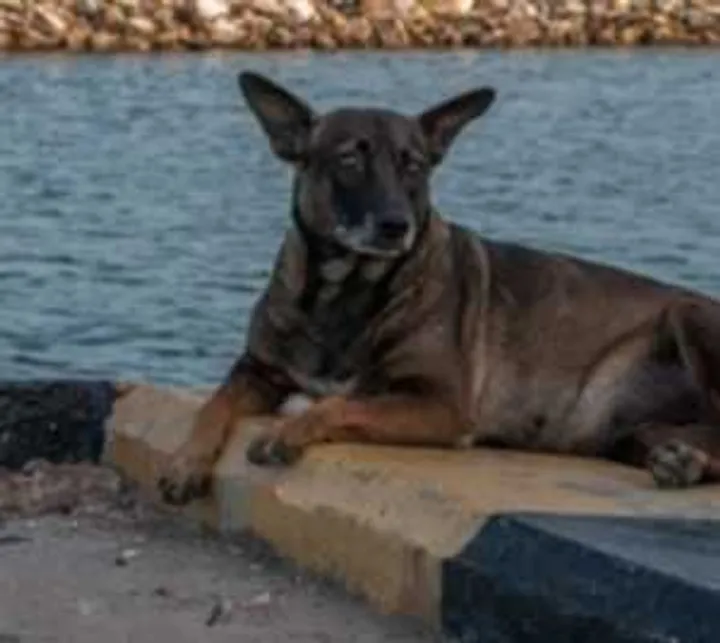
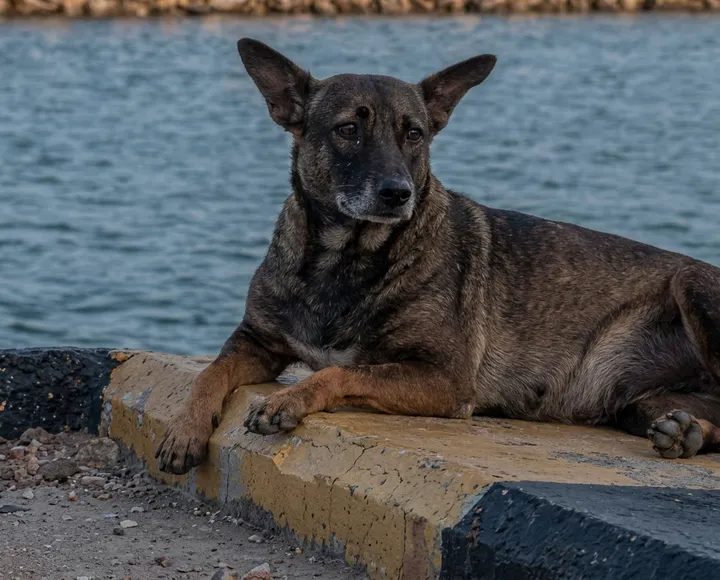
AI enhance redraws the photo, so fine detail such as fur, text or a small face is the AI's version, not a recovery of what the camera saw: compare it with your photo before you use it. Free, on your device, sharpens and enlarges without AI and never invents detail. One run, not the best of several.
For a photo that is a little soft, hazy or small. Sharpen and clarity bring out the detail it has, and 2x or 4x makes it bigger for screens and print. Instant, private, no account.
For a photo that is clearly blurred, noisy, blocky from compression or tiny. Our AI redraws it sharp and clean; Max paints about twice the size of Best.
Bring back detail a photo never captured. A very blurry plate or face can come out sharper, but the AI fills in what it cannot see, so check names, numbers and faces before you rely on them.
On every paid Best and Max run, we check the enhanced photo against yours before you see it. If blur is left, a face or text changed, or something was added, we make it again automatically and show you both, our pick first, at no extra cost.
Old and damaged? Use photo restoration. Black and white? Colorize it. Too dark or flat? Adjust brightness and contrast. Need an exact size in pixels or KB? Resize the image.
Open it here and press Enhance my photo on Free: it sharpens soft focus and edges on your device, free and without an account. For a photo that is badly blurred, from camera shake or a moving subject, use Best or Max: our AI redraws it sharp. No tool can bring back detail that was never in the photo, so a very blurry face or text may come out sharper but not exactly as it was.
Free is free with no limit and no account: sharpen, clarity and enlarging up to 4x run in your browser. The AI on Best and Max costs credits, after a free try of Best with a free account (5 credits a run on Best, 8 on Max). It is one free try for all our photo AI tools, such as photo restoration and AI uncrop, so you choose where to use it. The page shows whether yours is ready.
No. Free sharpens and enlarges with classic image processing on your device: unsharp masks for sharpen and clarity, and smooth resampling for the bigger size. It brings out the detail your photo already has, quickly and privately. Only Best and Max use AI, and they say so.
Free enlarges 2x or 4x, up to 4,800 pixels on the long side and 12 megapixels, the most a phone's browser handles reliably. Our AI paints at its own size: Best about 1,000 to 1,600 pixels on the long side and Max about 2,000 to 3,200, so for a photo already larger than that, Free keeps the full size.
Every paid run is checked against your photo once it is enhanced: we look for blur left behind, faces or text that changed, and anything added. When the result falls short, we make it again automatically and show you both, our pick first. It costs nothing extra, and if every picture we make turns out not to be your photo, your credits come back. The free try gets it too.
We tell our AI to keep every person exactly as they are and to add no detail that was not there. It redraws the whole picture, though, so a small or very blurry face can come out slightly different. Compare before you use it, and keep your original.
On Free, nothing leaves your device. On Best or Max, nothing is sent until you press the button; then your browser sends a copy of the photo, at most 1,024 pixels on its long side, without its location, camera details or file name, to uncrop.si, which passes it to one of our AI partners; on a paid run or the free try, the photo and the enhanced pictures also go to another of our AI partners, which checks them. We keep neither, only a record of the run. See privacy.
For scratches, creases, stains and fading, use photo restoration, and to add color to a black and white photo, colorize photo. The enhancer is for soft, blurry, noisy or small photos.
Photo restoration Restore an old photo: our AI removes scratches, creases, stains and fading, and can colorize black and white. AI Colorize photo Turn a black and white photo into color: our AI adds natural, believable color and cleans up scratches and fading. AI Adjust photo colors Brightness, contrast, saturation and grayscale in one place. Resize an image Set exact pixel dimensions and keep the proportions.