 Uncrop a photo
 AI image extender
 Change aspect ratio
 Portrait to landscape
 Landscape to portrait
 Instagram no crop
 Full DP, no crop
 Crop
 Circle crop
 Image splitter
 Combine images
 Blur faces
 Rotate
 Flip
 Photo enhancer
 Round corners
 Remove background
 Signature background
 Signature generator
 Brightness
 Contrast
 Saturation
 Black and white
 Color picker
 Sketch
 Glitch
 Video to MP3
 Cut video
 Compress video
 MOV to MP4
 Video to JPG
 Add subtitles
 Audio cutter
 Audio converter
 Video volume
 Loop video
 Reverse video
 Audio to video
 Voice recorder
 Cropped photo checker
 Office picture extractor
 Mic test
 Webcam test
Uncrop any photo. Free, right in your browser.
Expand a photo beyond its edges or change its shape without cropping. Fill the new space on your device, or choose AI to paint a wider scene.
- Edit on your device
- Export up to 40 megapixels
- Compare Free and Best
Drop a photo to uncrop
or
Want the scene to carry on past the edges? Our AI paints the new area.
A press sends a smaller copy of your photo to our AI. We keep none of it.
 Resize Your edit carries over and stays on this device.
 Christmas frameNew Year frame Resize
 Compress
 Add text
 Convert Open a photo first, then pick the next step. Your edit carries over and stays on this device.
What changes with Best?
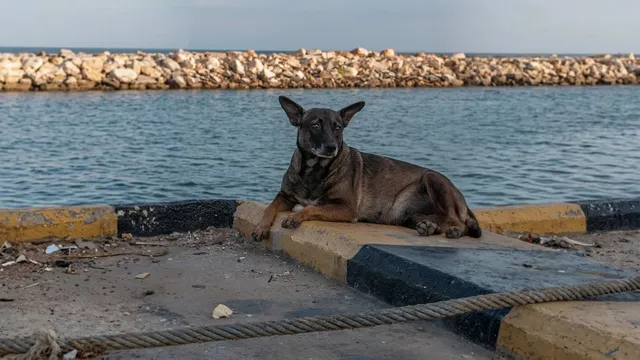
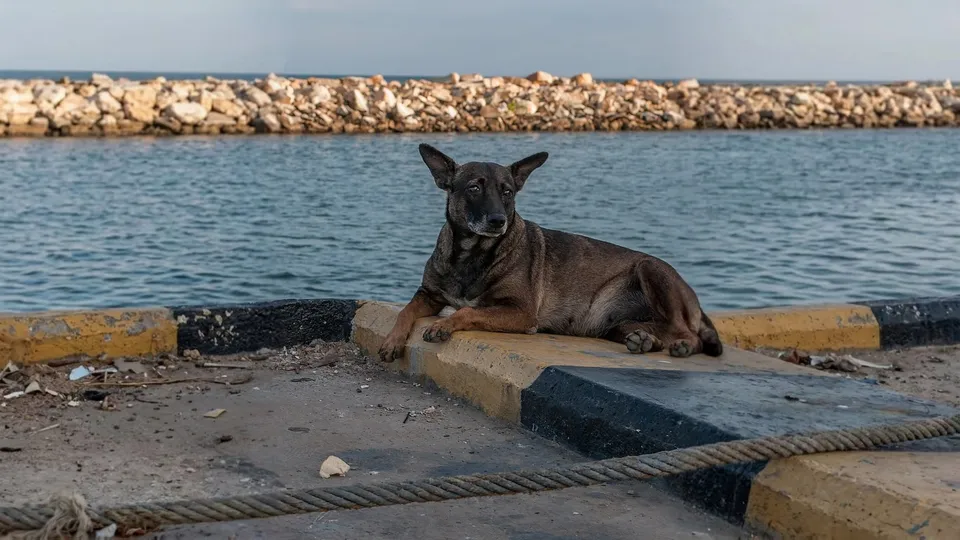
Both results started with the same portrait. Look at the harbor wall on either side of the dog. Best continues it across the wider photo.
Starter includes 50 credits. That covers up to 10 photo extensions at Best. Pay once.
See credit packs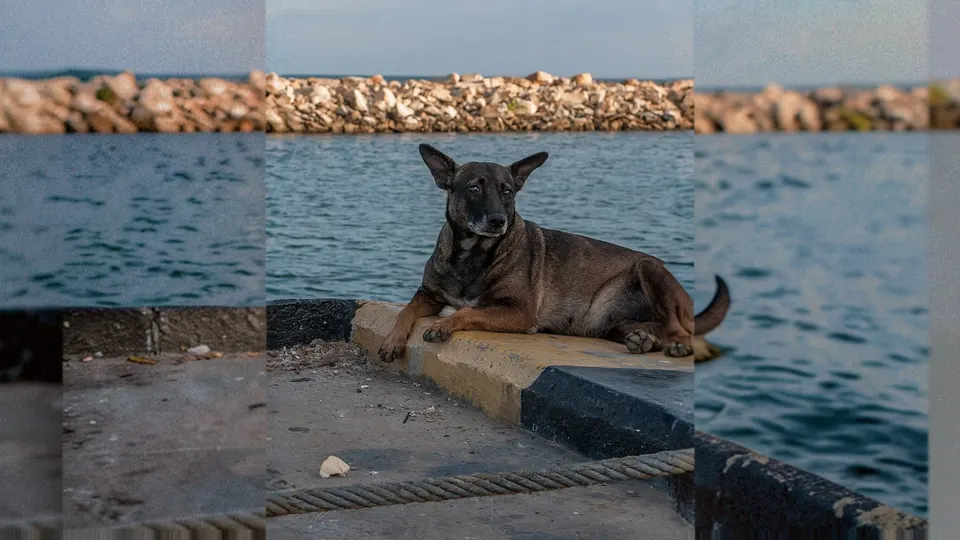
One app, 111 tools
Everything you need to fix a photo
Uncrop it, edit it, adjust it, convert it, or copy its text. The photo tools run on your device, and a photo moves from one tool to the next without uploading it again.
21 tools
Edit
Crop, resize, rotate, flip, make passport photos, add text or a frame, and remove plain backgrounds.
11 tools
Adjust
Brightness, contrast, saturation and black and white, with a live preview, and a color picker that reads HEX and RGB codes from an image.
28 tools
Convert and compress
Switch between JPG, PNG and WebP, open AVIF and iPhone HEIC files, make animated GIFs, make files smaller, or turn images into a PDF, without uploading.
 PDF to PNG
- PDF to JPG
 Application photo kit
- Compress
- Compress to KB
- JPG to PDF
- Convert
- PNG to JPG
- JPG to PNG
- PNG to WebP
- WebP to PNG
- JPG to WebP
- WebP to JPG
- AVIF to JPG
- AVIF to PNG
- SVG to PNG
- PNG to ICO
 WebP to GIF
- HEIC to JPG
- GIF maker
 GIF background remover
- GIF compressor
- GIF resizer
- Crop GIF
- Add text to GIF
- GIF speed
- Reverse GIF
- GIF to PNG
8 tools
AI text tools
Copy the text in a photo, scan or screenshot as text, Word, Excel or a translation, or make an AI-assisted draft read naturally, with a few free uses a day.
6 tools
Check and verify
See whether an image was made with AI, find a hidden original inside a cropped photo, or test your microphone and webcam.
3 tools
QR codes and barcodes
Make static QR codes and barcodes that never expire, or read one from a screenshot or photo.
19 tools
Video and audio
Compress, cut, crop or rotate a video, add subtitles, make it vertical, turn it into MP4, GIF or MP3, cut and convert audio, or record your voice, right on your device.
Real results
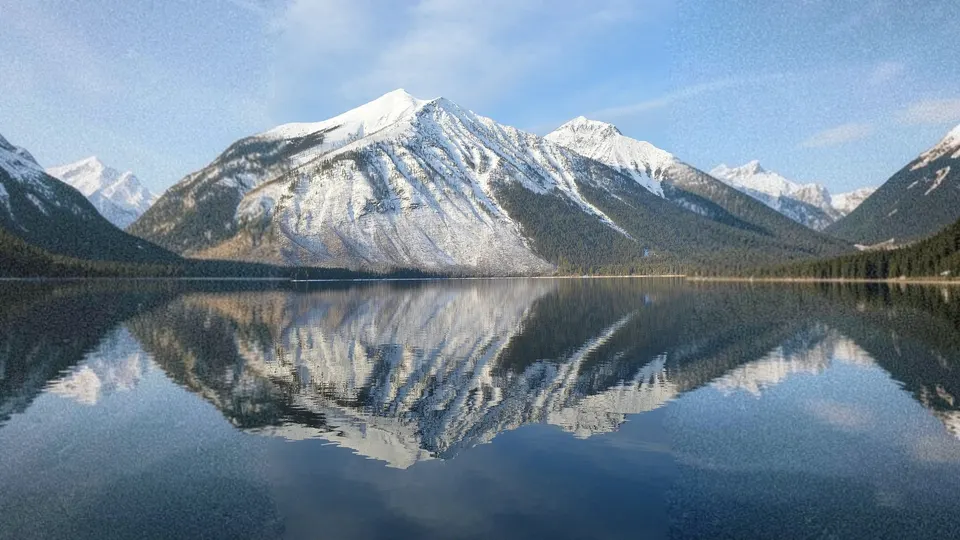
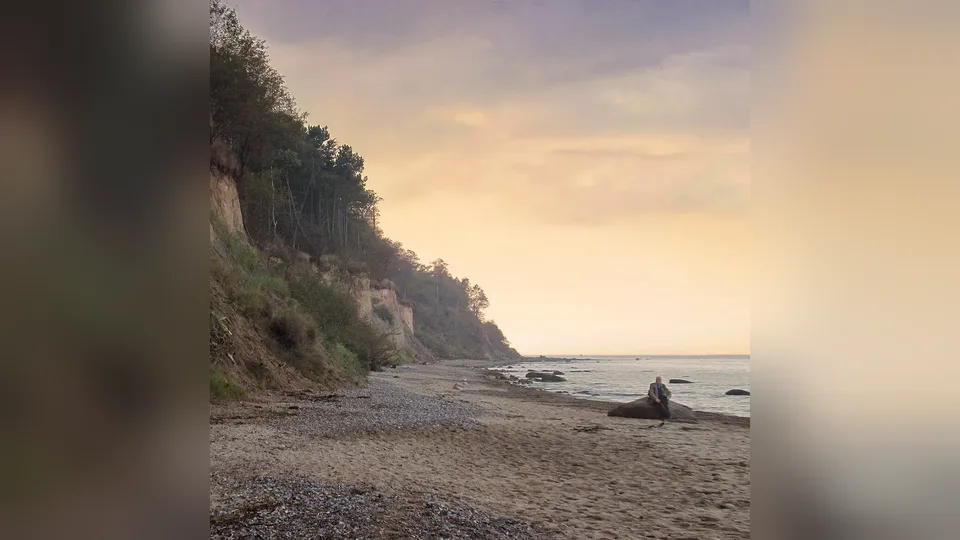
Made with AI uncrop and Blur
Each picture is one real run of the studio on our sample photos, kept as it came out. The dashed box shows the original photo; everything outside it is new.
Three steps
How to uncrop a photo
Uncropping adds new canvas around your picture and fills it so the scene looks wider or taller than the original shot.
Start with a photo- Open your photoDrop a JPG, PNG, WebP or AVIF image onto the canvas, choose a file, or paste it. Nothing is uploaded.
- Choose the new sizePick an aspect ratio such as 16:9 or 4:5, expand individual sides, or choose an exact platform size. Drag the photo to place it.
- Fill and downloadBlur fills the new area at once. Pick mirror, color or Texture fill instead, or let our AI paint new scenery with AI uncrop, then download JPG, PNG or WebP.
Fill methods
Uncrop with AI, or without it
Different photos need different fills. Blur, mirror, stretch, color and Texture fill use no AI at all and run on your device; AI uncrop's AI paints the new area only when you press its button. Every method keeps your photo's own pixels. Only a soft blend along its edges, set by Seam softness, touches the outermost ones so the join does not show.

AI uncrop Free daily
Our AI paints the new area for people, interiors and busy scenes. For the best result, choose Best or Max. Your original pixels stay on top.

Blur backdrop Instant
The classic no-crop look for Stories, Reels and portrait posts. Adjustable softness and dimming.

Mirror Instant
Reflects the edges outward. Surprisingly natural on landscapes and symmetrical scenes.

Stretch Instant
Extends the outermost pixels. Clean on plain studio backdrops, walls and gradients.

Texture fill Free, offline
Content-aware patch synthesis from your own pixels. Crisp results on sky, sea, sand, foliage and walls.

Color or transparent Instant
Pad with a matching edge color, white, black, or leave a transparent border for design work.
The honest answer
Uncropping imagines the missing part. It does not recover it.
Once a photo is cropped and saved, the cut-off pixels are usually gone for good. Many apps keep the original behind the scenes, though, so you may be able to undo the crop instead.

Runs on your device
Decoding, resizing, blur, Texture fill and every editor tool run in your browser. There is no upload step and no account.

AI only when you ask, and labeled
AI uncrop sends a copy of your photo only when you press Extend with AI or Try AI uncrop free. The file you save says in its metadata, and in its name, that AI painted the new area.

Install it, use it offline
Add uncrop.si to your home screen or desktop. It opens like an app, and the tools you have used keep working without a connection.
What does it mean to uncrop a photo?
Uncropping a photo means adding new picture area beyond its edges, so the whole photo fits a wider, taller or differently shaped frame without cutting anything off. It is also called outpainting, extending or expanding an image. uncrop.si fills the new area on your device with blur, a mirror, a color or Texture fill, or with generative AI when you choose AI uncrop.
Is uncrop.si really free?
Yes. Every tool that runs in your browser is free, with no sign-up, no watermark and no daily limit. That includes blur, mirror, stretch, color, Texture fill and transparent fills, plus the crop, resize, adjust, compress and convert tools. AI uncrop, where our AI paints the new area, is free every day for everyone, with more runs when you sign in.
Is my photo uploaded anywhere?
Not unless you use AI uncrop. Your photo is decoded and processed inside your browser. Only when you press Extend with AI, or Try AI uncrop free under the photo, do smaller copies of it go through uncrop.si to the AI service we use, which paints the new area. We keep neither the photo nor the result.
Can uncropping bring back the part that was cut off?
Not by itself. An uncrop tool invents new pixels that match the photo; it cannot see what was really there. You can only recover the real pixels from the original file, an app that keeps crops reversible, or occasionally from data left inside the file. Read Can you uncrop a photo? or try the cropped photo checker.
Can I uncrop an image without AI?
Yes. Blur, mirror, stretch, color, Texture fill and transparent use no AI at all: they fill the new border from your own pixels, with a color, or leave it transparent, and the photo stays on your device. AI uncrop, which uses a generative model run by an AI service, is optional and runs only when you press its button.
What is the difference between Blur and AI uncrop?
Blur fills the new area with a soft, dimmed copy of your photo, at once and on your device: the classic no-crop look for posts and Stories, free with no limit. AI uncrop paints new scenery that carries on past the old edge, such as more sky, water, a room or the rest of a pet, and your original pixels stay on top. Its Free level is free every day for everyone, with more runs when you sign in.
Which fill gives the best result?
AI uncrop at Best or Max. Those levels run on a stronger image AI than Free, so people, rooms and busy scenes carry on past the old edge, and your original pixels stay on top. Every account gets a free try of Best; after it, Best and Max run on credits. Free does well on sky, water and hills, and Blur suits any photo at once.
How does AI uncrop work?
Choose AI uncrop as the fill and press Extend with AI. Smaller copies of your photo go to our AI, which paints the new area, and the studio lines the result up with your photo and puts your original pixels back on top. Everyone gets free AI uncrop runs every day with no sign-up, and more when you sign in. See the AI image extender.
Can I use one photo in several tools?
Yes. After you uncrop a photo, pick a next step such as Resize, Compress or Add text and the result opens there straight away. It is passed through your browser's own storage on this device, never uploaded, and removed as soon as the next tool opens it.
How do I fit a photo to Instagram without cropping?
Choose Exact size, pick Instagram portrait post (1080 x 1350) or square (1080 x 1080), then fill the new area with blur, color or AI uncrop. For a quick version without AI use Instagram no crop.
Can I install uncrop.si as an app?
Yes. In Chrome or Edge choose Install from the address bar or the menu; on iPhone and iPad tap Share, then Add to Home Screen. The app opens in its own window and the tools you have used keep working without a connection.
See the whole picture.
Open a photo and extend it in seconds. Free, private and ready when you are.